Use DBOS With Prisma Postgres
Here's how to connect your DBOS application running on your computer or cloud environment to your Prisma Postgres database.
1. Set up a Local Application
If you haven't already, follow the quickstart to set up a DBOS application locally. The rest of this guide will assume you have a local application.
2. Connect to Your Prisma Postgres Database
Next, open the Prisma Console, select your project and database, and click "Connect" to retrieve connection information for your Prisma Postgres database. You should see a screen that looks like this:
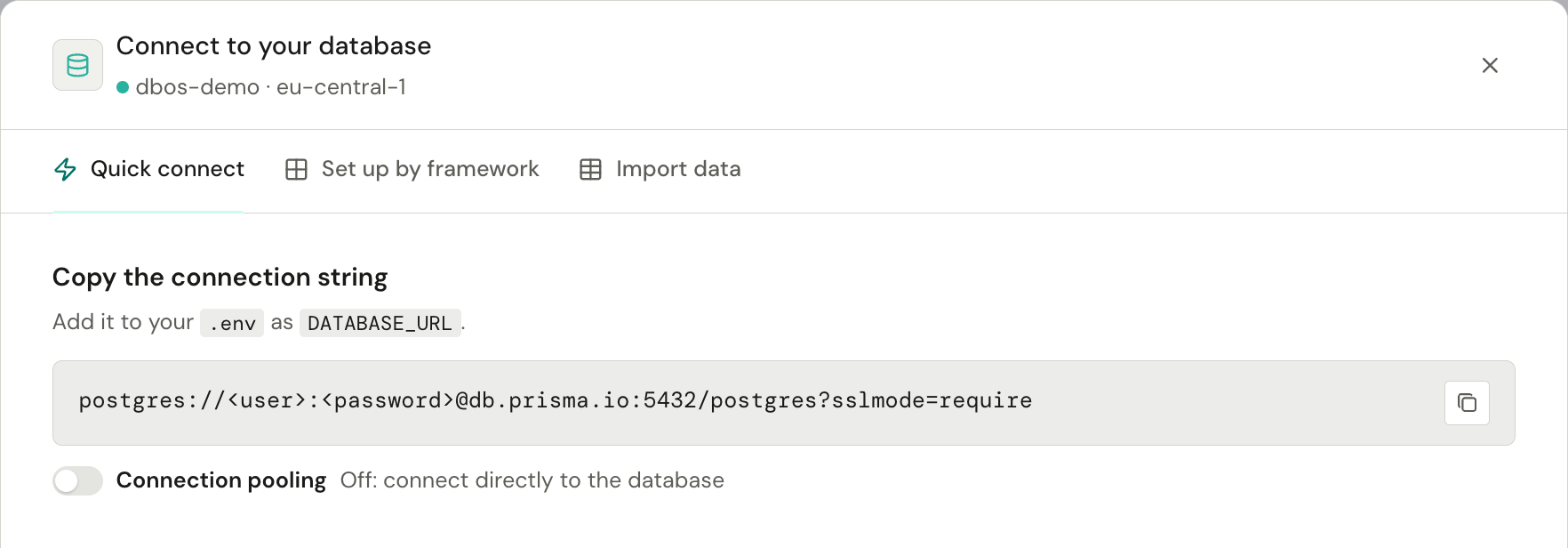
This page shows the connection string for your database. Prisma Postgres gives you two connection strings, one pooled and one direct, and the "Connection pooling" toggle switches between them. See Connecting to your database for details.
Leave "Connection pooling" off so that you copy the direct connection string, whose host is db.prisma.io.
The pooled connection string (host pooled.db.prisma.io) goes through a connection pooler that does not support the Postgres LISTEN/NOTIFY feature DBOS uses, so DBOS falls back to polling and delivers messages and events more slowly.
By default, you will use the postgres database.
DBOS creates its system tables in the dbos schema of that database.
When you are ready, copy the direct connection string (including the password and sslmode=require) and set the DBOS_SYSTEM_DATABASE_URL environment variable to it:
export DBOS_SYSTEM_DATABASE_URL="<your connection string>"
3. Launch Your Application
Now, launch your DBOS application. It should successfully connect to your Prisma Postgres database, printing your masked Prisma Postgres database URL on startup.
After connecting your DBOS application to Prisma Postgres, you can use Prisma Studio to view your DBOS system tables. Open the "Studio" tab for your database in the Prisma Console. For your schema, select "dbos". You can now see DBOS durably checkpoint your workflows to your Prisma Postgres database:
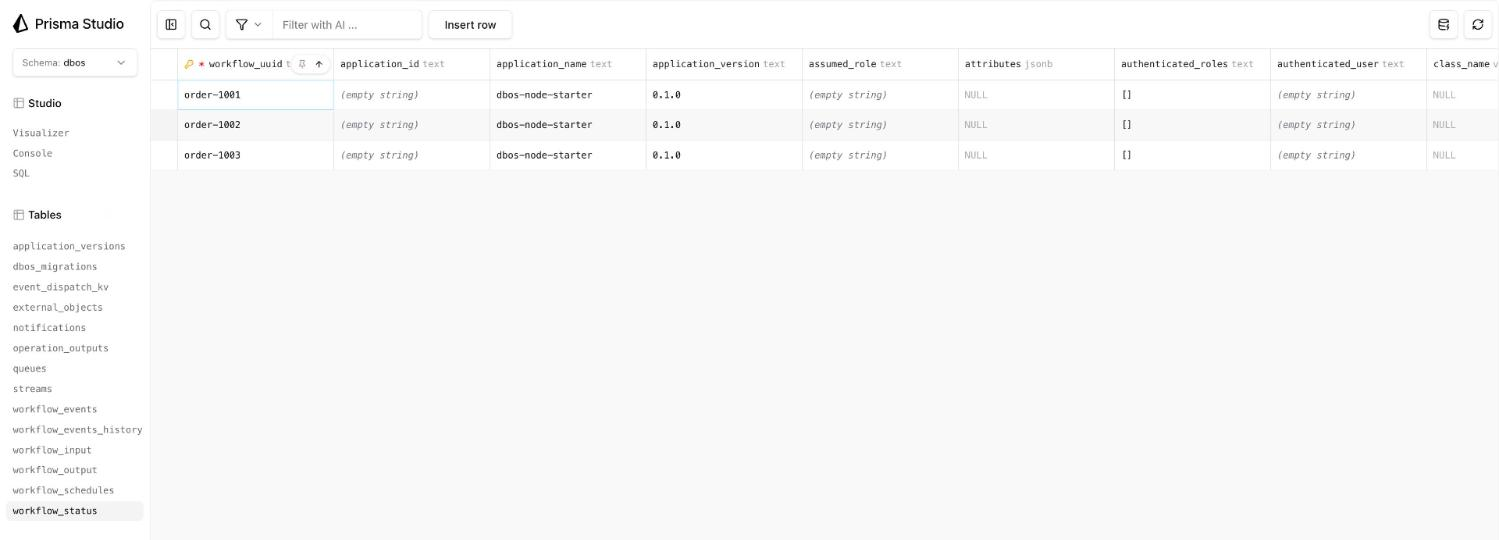
You can also query the same tables with any Postgres client, for example with psql:
psql "$DBOS_SYSTEM_DATABASE_URL" -c "SELECT workflow_uuid, name, status FROM dbos.workflow_status;"