Workflow Management
You can view and manage your durable workflow executions via the DBOS Console or programmatically.
Listing Workflows
You can list your application's workflows programmatically via dbos.listWorkflows or using the DBOSClient.
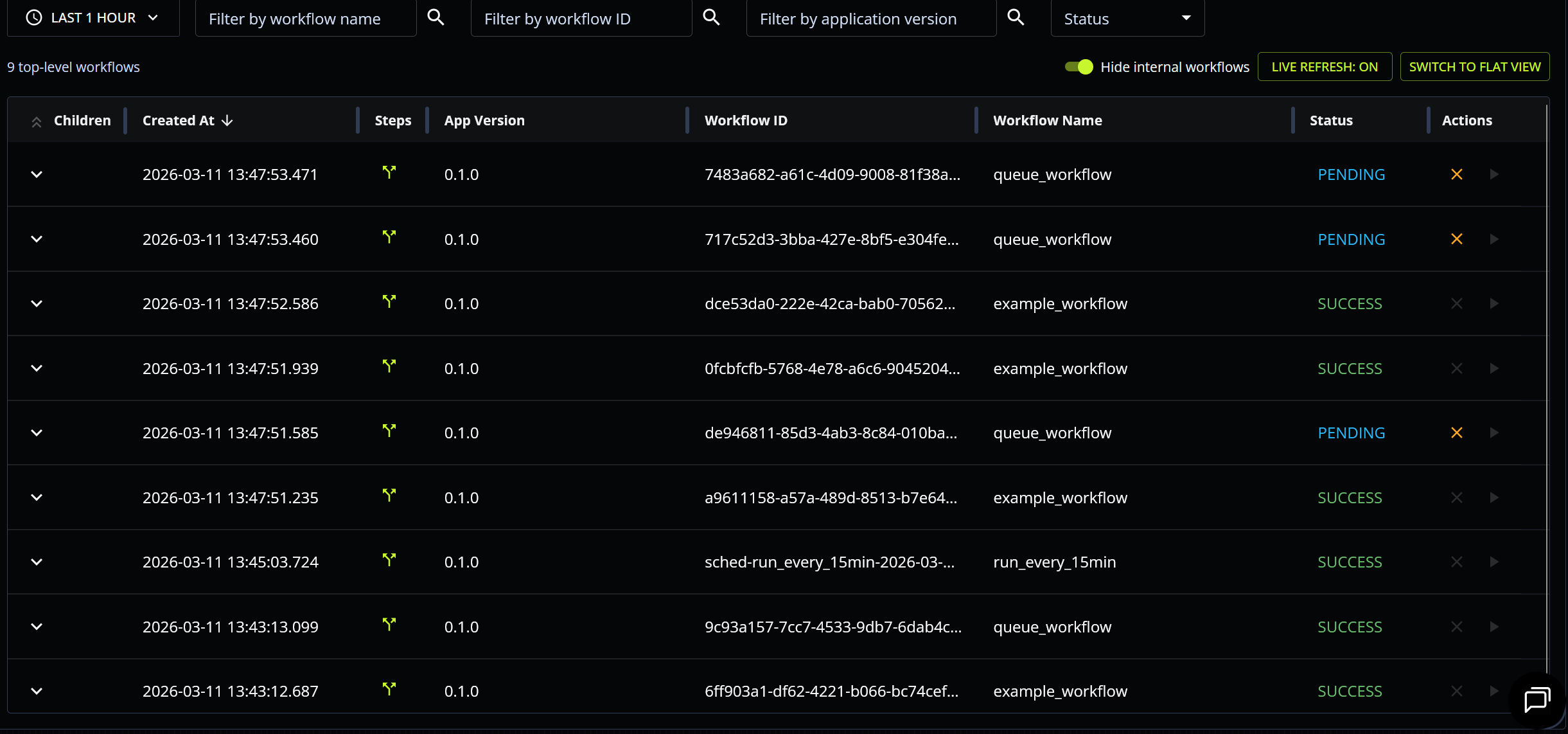
You can also view a searchable and expandable list of your application's workflows from its page on the DBOS Console.
Listing Workflow Steps
You can list the steps of a workflow programmatically via dbos.listWorkflowSteps or using the DBOSClient.
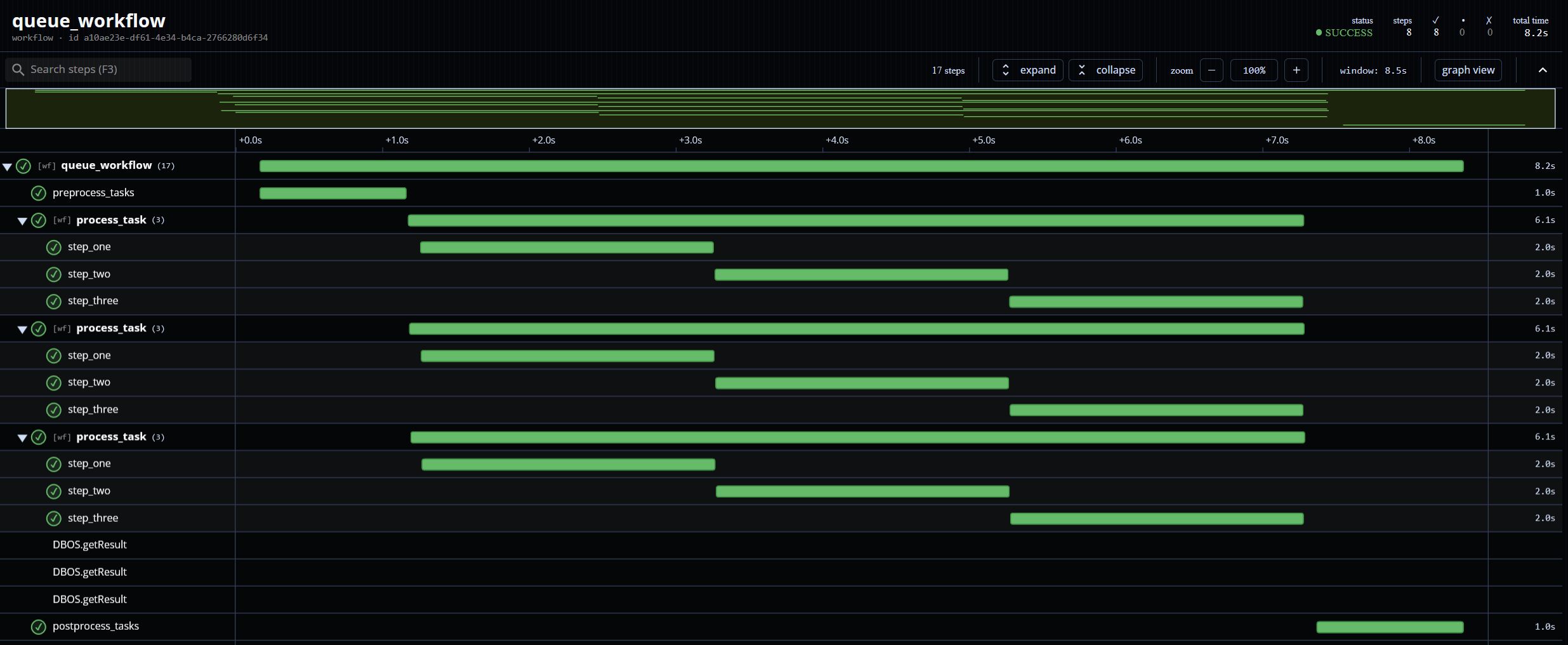
You can also visualize a workflow's execution as a trace timeline (showing the workflow, its steps, and its child workflows and their steps) from its page on the DBOS Console. For example, here is the trace of a workflow that processes multiple tasks concurrently by enqueuing child workflows:
Cancelling Workflows
You can cancel the execution of a workflow from the web UI, programmatically via dbos.cancelWorkflow, or using the DBOSClient.
If the workflow is currently executing, cancelling it preempts its execution (interrupting it at the beginning of its next step). If the workflow is enqueued, cancelling removes it from the queue.
To also cancel all descendant workflows spawned by the cancelled workflow, pass cancelChildren = true:
dbos.cancelWorkflow(workflowId, true);
// or for multiple workflows:
dbos.cancelWorkflows(workflowIds, true);
When a workflow is cancelled while it is waiting inside recv or getEvent, a DBOSWorkflowCancelledException is thrown to abort it immediately rather than waiting for the timeout to expire.
Resuming Workflows
You can resume a workflow from its last completed step from the web UI, programmatically via dbos.resumeWorkflow, or using the DBOSClient.
You can use this to resume workflows that are cancelled or that have exceeded their maximum recovery attempts. You can also use this to start an enqueued workflow immediately, bypassing its queue.
Forking Workflows
You can start a new execution of a workflow by forking it from a specific step. When you fork a workflow, DBOS generates a new workflow with a new workflow ID, copies to that workflow the original workflow's inputs and all its steps up to the selected step, then begins executing the new workflow from the selected step.
Forking a workflow is useful for recovering from outages in downstream services (by forking from the step that failed after the outage is resolved) or for "patching" workflows that failed due to a bug in a previous application version (by forking from the bugged step to an application version on which the bug is fixed).
You can fork a workflow programmatically using dbos.forkWorkflow or using the DBOSClient.
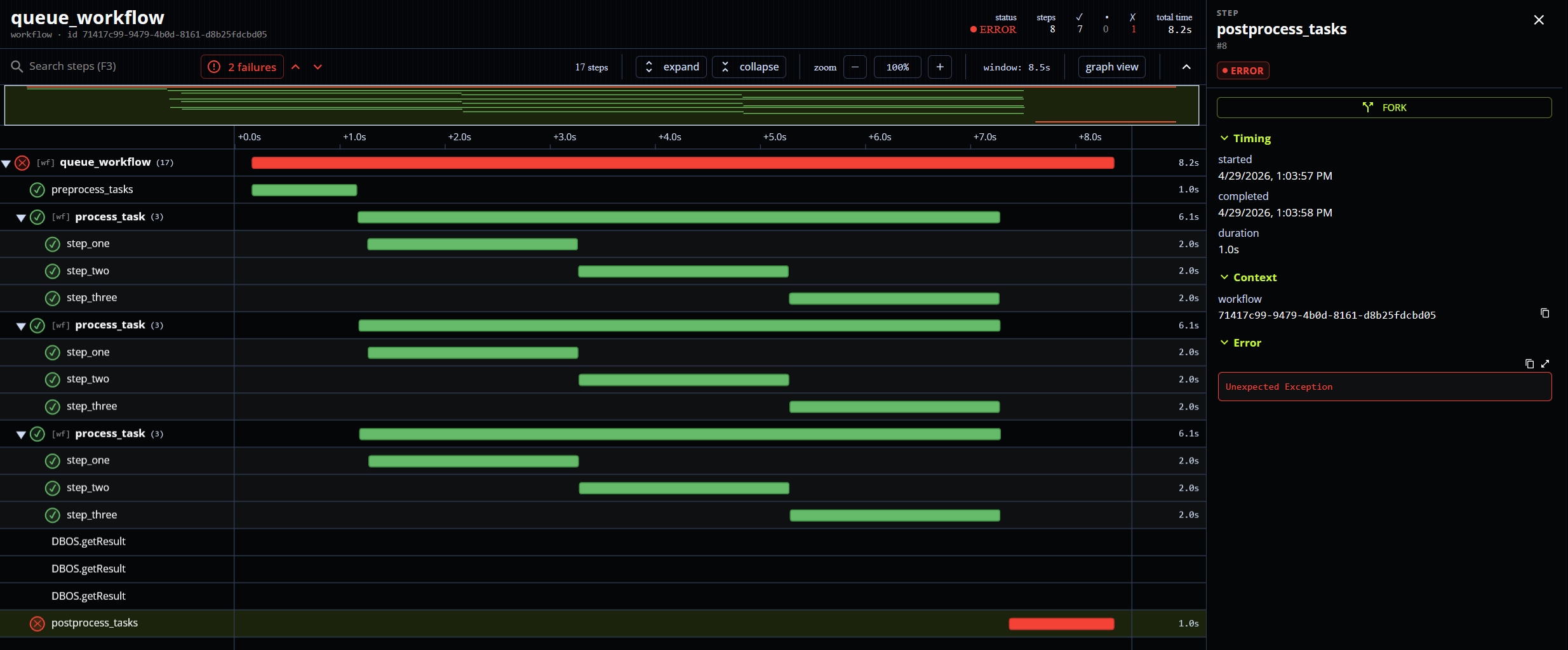
You can also fork a workflow from a step from the web UI by clicking on that step in the workflow's graph visualization:
Workflow Attributes
You can attach custom metadata to any workflow as a Map<String, Object>. Attributes are stored as JSON and are searchable.
At creation:
dbos.startWorkflow(() -> proxy.processOrder(orderId),
    new StartWorkflowOptions()
        .withAttributes(Map.of("customerId", "cust-123", "region", "us-west")));
After creation (from anywhere, including inside a workflow):
dbos.updateWorkflowAttributes(workflowId,
    Map.of("status", "awaiting-payment", "invoiceId", "inv-456"));
When called from within a workflow, updateWorkflowAttributes is recorded as a step and executes exactly once even under recovery.
Filtering by attributes:
// Find all workflows for customer cust-123
List<WorkflowStatus> results = dbos.listWorkflows(
    new ListWorkflowsInput()
        .withAttributes(Map.of("customerId", "cust-123")));
The filter uses PostgreSQL's @> containment operator — it matches any workflow whose attributes map contains all the specified key-value pairs. Pass a subset of the attributes to match; extra attributes on the workflow are ignored.