Workflow Management
You can view and manage your durable workflow executions via the DBOS Console or programmatically.
Listing Workflows
You can list your application's workflows programmatically via ListWorkflows.
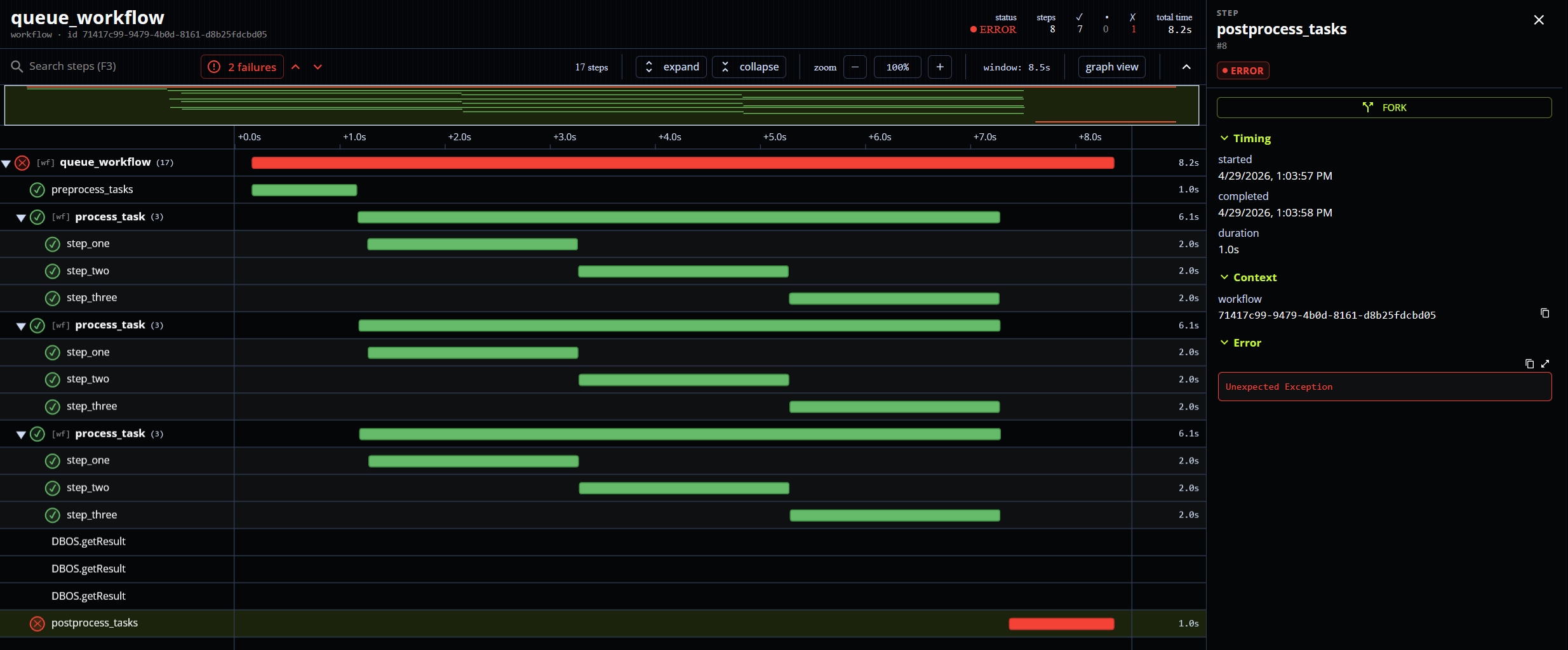
You can also view a searchable and expandable list of your application's workflows from its page on the DBOS Console.
Visualizing Workflow Execution
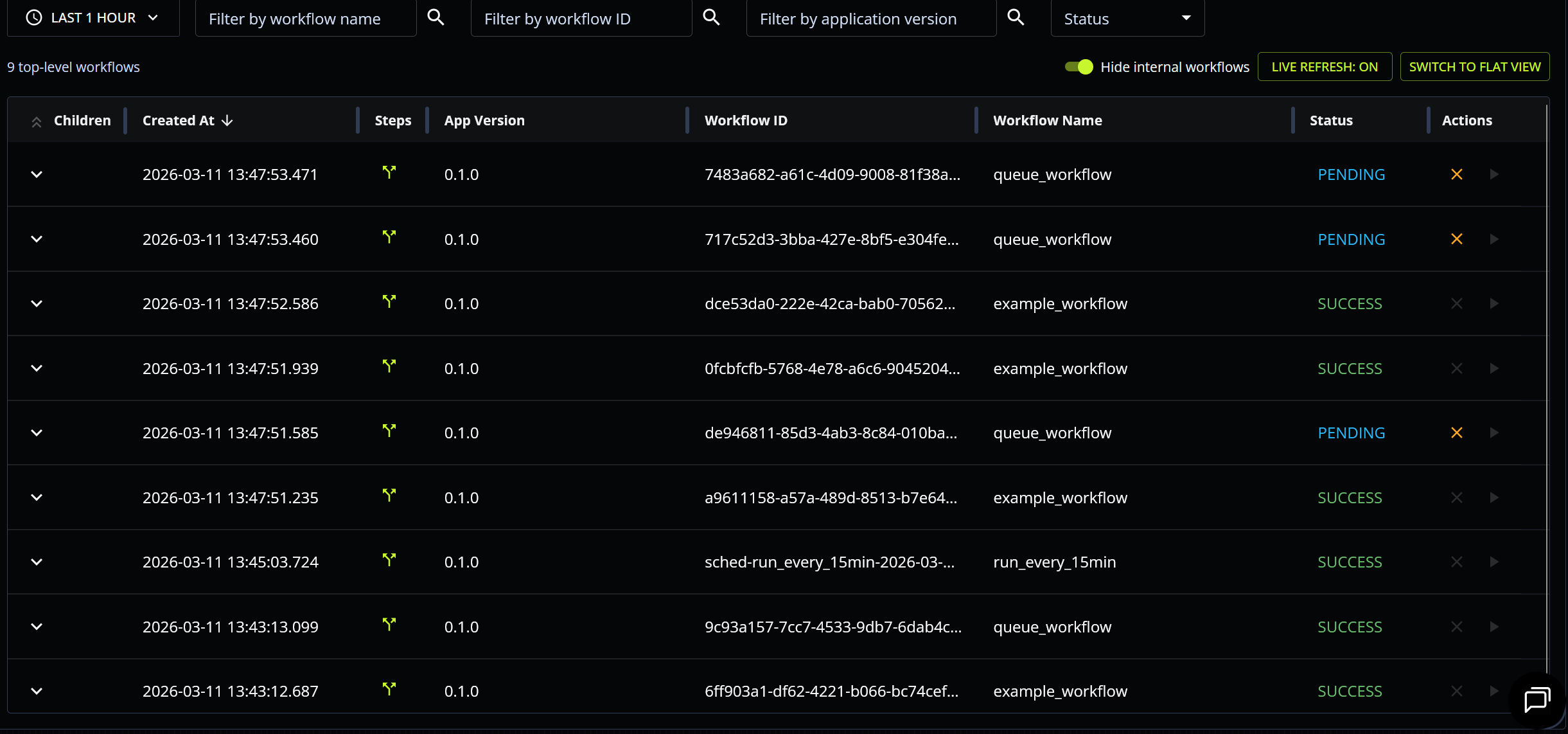
You can also visualize a workflow's execution as a trace timeline (showing the workflow, its steps, and its child workflows and their steps) from its page on the DBOS Console. For example, here is the trace of a workflow that processes multiple tasks concurrently by enqueueing child workflows:
Tagging Workflows with Attributes
You can attach custom key-value attributes to a workflow with WithWorkflowAttributes when starting or enqueueing it:
handle, err := dbos.RunWorkflow(ctx, processOrder, order,
    dbos.WithWorkflowAttributes(map[string]any{"customer": "acme", "region": "us-east"}),
)
Attributes are recorded in the workflow's status and can be used to find workflows with ListWorkflows and the WithFilterAttributes filter (Postgres only):
workflows, err := dbos.ListWorkflows(ctx,
    dbos.WithFilterAttributes(map[string]any{"customer": "acme"}),
)
You can replace a workflow's attributes at any time with SetWorkflowAttributes.
Cancelling Workflows
You can cancel the execution of a workflow from the web UI or programmatically via CancelWorkflow.
To cancel many workflows at once, use CancelWorkflows, which cancels them in a single database round-trip.
Pass WithCancelChildren to also cancel all the workflow's children, recursively.
If the workflow is enqueued, cancelling removes it from the queue.
If the workflow is currently executing, cancelling sets its status to CANCELLED; the execution is not interrupted mid-step and its output is checkpointed, but the execution stops at the start of its next durable operation (step, child workflow, sleep, Send/Recv, and so on).
That operation returns an error matching dbos.ErrWorkflowCancelled.
Do not ignore that error to continue execution. Ignoring a cancellation error cannot turn the workflow back into a success.
Cancellation via context or timeout
A workflow is also cancelled when its durable timeout expires, when the context it was started from is cancelled, or on shutdown.
You can use this to cancel a workflow directly: start it under a cancellable context obtained with WithCancel, then call the cancel function.
dbosCtx, cancel := dbos.WithCancel(ctx)
handle, err := dbos.RunWorkflow(dbosCtx, myWorkflow, input)
// ... later:
cancel()
This form of cancellation enables cooperative cancellation: an executing step receives the cancellation through its context.Context and can select on ctx.Done() to return early instead of running to completion.
func longRunningStep(ctx context.Context) (string, error) {
    for {
        select {
        case <-ctx.Done():
            return "", ctx.Err() // Return early; this step is not checkpointed and re-executes on resume
        default:
            if done, result := doSomeWork(); done {
                return result, nil
            }
        }
    }
}
A step interrupted this way returns an error matching dbos.ErrWorkflowCancelled that also wraps the standard-library cause — errors.Is(err, context.Canceled) or errors.Is(err, context.DeadlineExceeded) matches too.
The interrupted step is deliberately not checkpointed, so if the workflow is later resumed, that step re-executes.
(An API CancelWorkflow, by contrast, does not cancel the running execution's Context, and its cancellation errors carry no standard-library cause.)
Cancelling the context durably cancels the workflow: DBOS immediately marks it CANCELLED in the database, exactly as CancelWorkflow would.
The cancellation is then enforced at the step boundary: a step that does not watch ctx.Done() keeps running, but when it returns, its result — success or error — is discarded rather than checkpointed, and the step call reports the cancellation instead.
Handle cooperative cancellation in long-running steps and return early: any work done after the context is cancelled only computes a result DBOS will throw away.
A durable Sleep wakes immediately when the workflow's context is cancelled.
An API CancelWorkflow does not wake an in-progress sleep: the workflow sleeps out the remaining time and stops at its next durable operation.
Awaiting a cancelled workflow
Waiting on a cancelled workflow's handle returns an error matching dbos.ErrAwaitedWorkflowCancelled — a distinct code, so an awaiting workflow can tell "the workflow I awaited was cancelled" apart from "I was cancelled" and may choose to handle it and continue.
When the awaiter is itself a workflow, this outcome is checkpointed like any other child error, so replay is deterministic: resuming the cancelled workflow later does not change what the awaiter observed.
Resuming Workflows
You can resume a workflow from its last completed step from the web UI or programmatically via ResumeWorkflow.
You can use this to resume workflows that are cancelled or that have exceeded their maximum recovery attempts. You can also use this to start an enqueued workflow immediately, bypassing its queue.
Resuming restarts the workflow function from the beginning, but every checkpointed step replays its recorded result instead of re-executing, so only unfinished work runs again (including a step that was interrupted by cancellation, which is never checkpointed). Resuming also resets the workflow's recovery-attempt counter and clears any durable timeout the workflow carried before it was resumed.
Forking Workflows
You can start a new execution of a workflow by forking it from a specific step. When you fork a workflow, DBOS generates a new workflow with a new workflow ID, copies to that workflow the original workflow's inputs and all its steps up to the selected step, then begins executing the new workflow from the selected step.
Forking a workflow is useful for recovering from outages in downstream services (by forking from the step that failed after the outage is resolved) or for "patching" workflows that failed due to a bug in a previous application version (by forking from the bugged step to an application version on which the bug is fixed).
You can fork a workflow programmatically using ForkWorkflow.
The forked workflow can be given its own timeout, and a parent whose children were also forked can be pointed at the new children with ReplacementChildren.
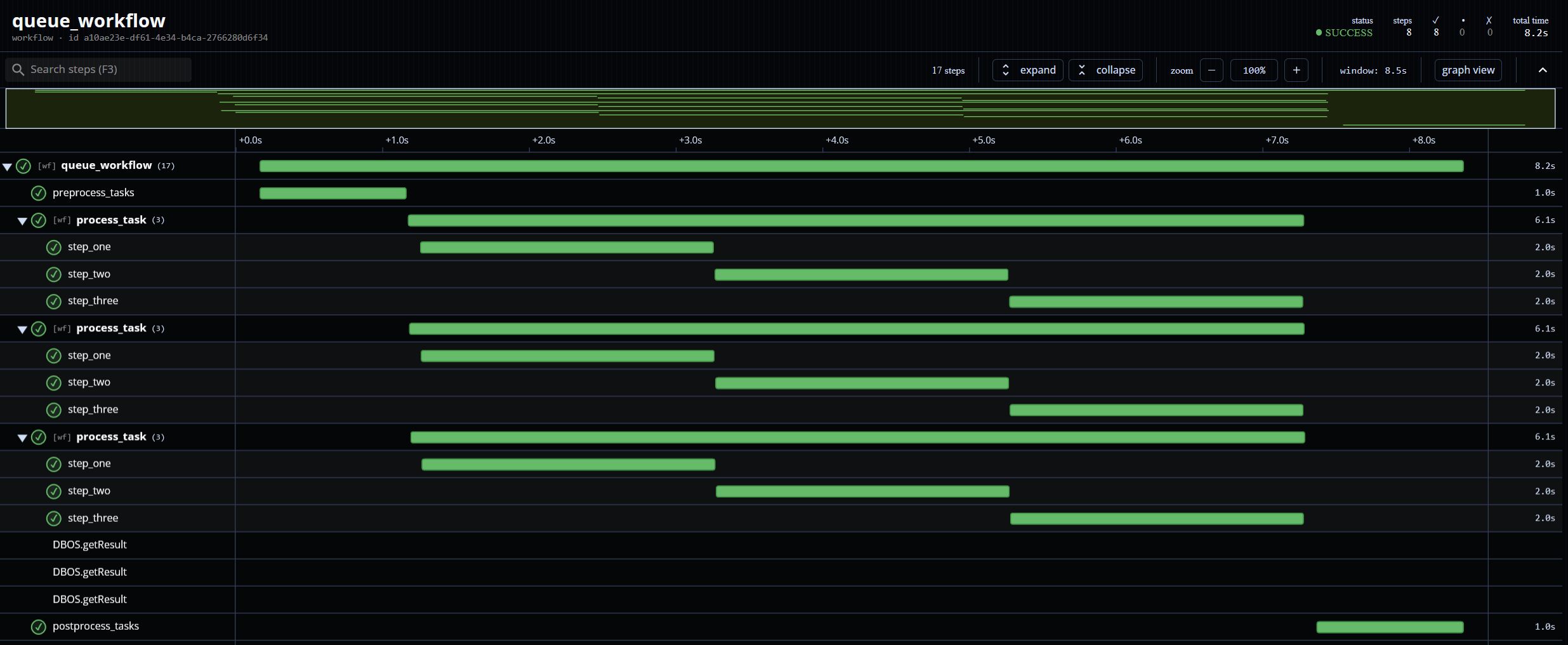
You can also fork a workflow from a step from the web UI by clicking on that step in the workflow's trace timeline: