Communicating with Workflows
DBOS provides a few different ways to communicate with your workflows. You can:
- Send messages to workflows
- Publish events from workflows for clients to read
- Stream values from workflows to clients
Workflow Messaging and Notifications
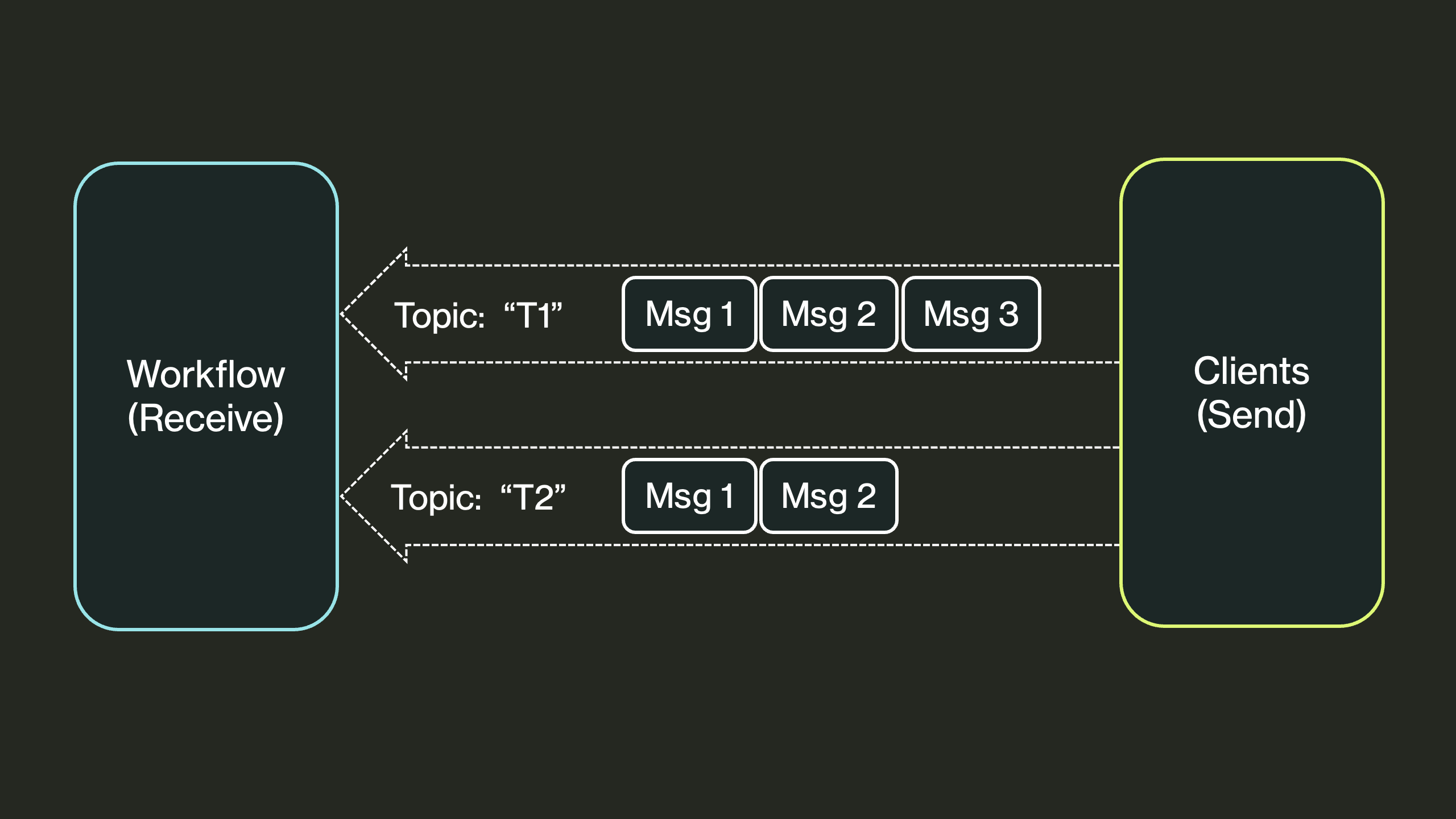
You can send messages to a specific workflow. This is useful for signaling a workflow or sending notifications to it while it's running.
Send
func Send[P any](ctx Client, destinationID string, message P, topic string, opts ...SendOption) error
You can call Send() to send a message to a workflow.
Messages can optionally be associated with a topic and are queued on the receiver per topic.
Pass WithIdempotencyKey to make a retried Send deliver at most once: retrying with the same key (for example, after a crash or network failure) inserts the message only once.
To send many messages at once, possibly to different workflows, use SendBulk.
The batch is sent in a single transaction: either every message is delivered or none is.
err := dbos.SendBulk(dbosContext, []dbos.SendMessage{
    {DestinationID: orderWorkflowID, Message: "confirmed", Topic: "orders"},
    {DestinationID: inventoryWorkflowID, Message: order, Topic: "reserve", IdempotencyKey: "reserve-42"},
})
Recv
func Recv[R any](ctx Context, topic string, timeout time.Duration) (R, error)
Workflows can call Recv() to receive messages sent to them, optionally for a particular topic.
Each call to Recv() waits for and consumes the next message to arrive in the queue for the specified topic, returning an error if the wait times out.
If the topic is not specified, this method only receives messages sent without a topic.
Messages Example
Messages are especially useful for sending notifications to a workflow. For example, in an e-commerce application, the checkout workflow, after redirecting customers to a secure payments service, must wait for a notification from that service that the payment has finished processing.
To wait for this notification, the payments workflow uses Recv(), executing failure-handling code if the notification doesn't arrive in time:
const PaymentStatusTopic = "payment_status"

func checkoutWorkflow(ctx dbos.Context, orderData OrderData) (string, error) {
    // Process initial checkout steps...

    // Wait for payment notification with a 5-minute timeout
    notification, err := dbos.Recv[PaymentNotification](ctx, PaymentStatusTopic, 5*time.Minute)
    if err != nil {
        ... // Handle timeout or other errors
    }

    // Handle the notification
    if notification.Status == "completed" {
      ... // Handle the notification.
    } else {
      ... // Handle a failure
    }
}
A webhook waits for the payment processor to send the notification, then uses Send() to forward it to the workflow:
func paymentWebhookHandler(w http.ResponseWriter, r *http.Request) {
    // Parse the notification from the payment processor
    notification := ...
    // Retrieve the workflow ID from notification metadata
    workflowID := ...

    // Send the notification to the waiting workflow
    err := dbos.Send(dbosContext, workflowID, notification, PaymentStatusTopic)
    if err != nil {
        http.Error(w, "Failed to send notification", http.StatusInternalServerError)
        return
    }
}
Reliability Guarantees
All messages are persisted to the database, so if Send completes successfully, the destination workflow is guaranteed to be able to Recv it.
If you're sending a message from a workflow, DBOS guarantees exactly-once delivery.
Workflow Events
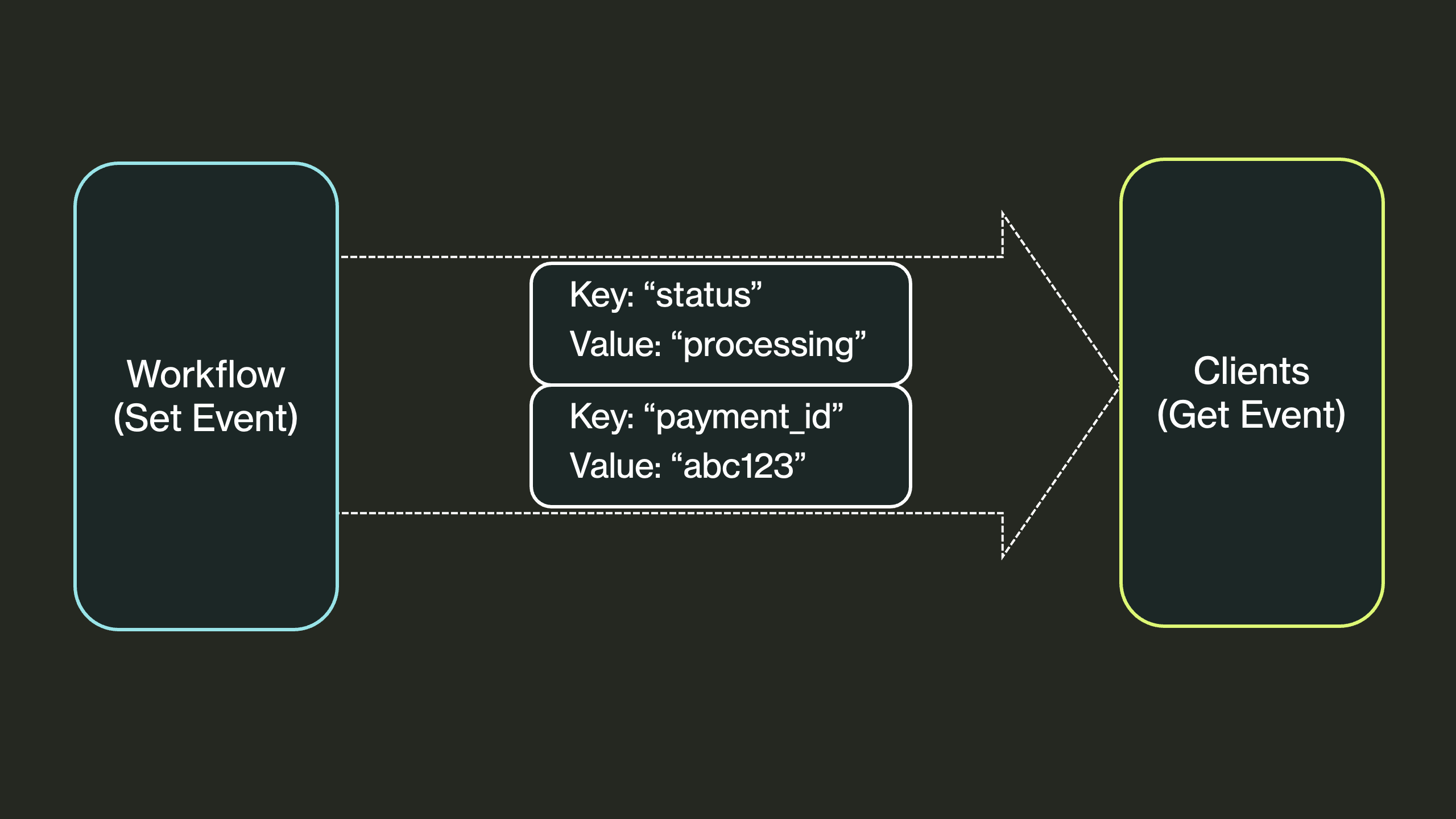
Workflows can publish events, which are key-value pairs associated with the workflow. They are useful for publishing information about the status of a workflow or to send a result to clients while the workflow is running.
SetEvent
func SetEvent[P any](ctx Context, key string, message P, opts ...SetEventOption) error
Any workflow can call SetEvent to publish a key-value pair, or update its value if it has already been published.
If called from a step, the write is at-least-once (the step may be retried on failure).
GetEvent
func GetEvent[R any](ctx Client, targetWorkflowID, key string, timeout time.Duration) (R, error)
You can call GetEvent to retrieve the value published by a particular workflow ID for a particular key.
If the event does not yet exist, this call waits for it to be published, returning an error if the wait times out.
Events Example
Events are especially useful for writing interactive workflows that communicate information to their caller. For example, in an e-commerce application, the checkout workflow, after validating an order, directs the customer to a secure payments service to handle credit card processing. To communicate the payments URL to the customer, it uses events.
The checkout workflow emits the payments URL using SetEvent():
const PaymentURLKey = "payment_url"

func checkoutWorkflow(ctx dbos.Context, orderData OrderData) (string, error) {
    // Process order validation...

    paymentsURL := ...
    err := dbos.SetEvent(ctx, PaymentURLKey, paymentsURL)
    if err != nil {
        return "", fmt.Errorf("failed to set payment URL event: %w", err)
    }

    // Continue with checkout process...
}
The HTTP handler that originally started the workflow uses GetEvent() to await this URL, then redirects the customer to it:
func webCheckoutHandler(dbosContext dbos.Context, w http.ResponseWriter, r *http.Request) {
    orderData := parseOrderData(r) // Parse order from request

    handle, err := dbos.RunWorkflow(dbosContext, checkoutWorkflow, orderData)
    if err != nil {
        http.Error(w, "Failed to start checkout", http.StatusInternalServerError)
        return
    }

    // Wait up to 30 seconds for the payment URL event
    url, err := dbos.GetEvent[string](dbosContext, handle.GetWorkflowID(), PaymentURLKey, 30*time.Second)
    if err != nil {
        // Handle a timeout
    }

    // Redirect the customer
}
Reliability Guarantees
All events are persisted to the database, so the latest version of an event is always retrievable.
Additionally, if GetEvent is called in a workflow, the retrieved value is persisted in the database so workflow recovery can use that value, even if the event is later updated.
Workflow Streaming
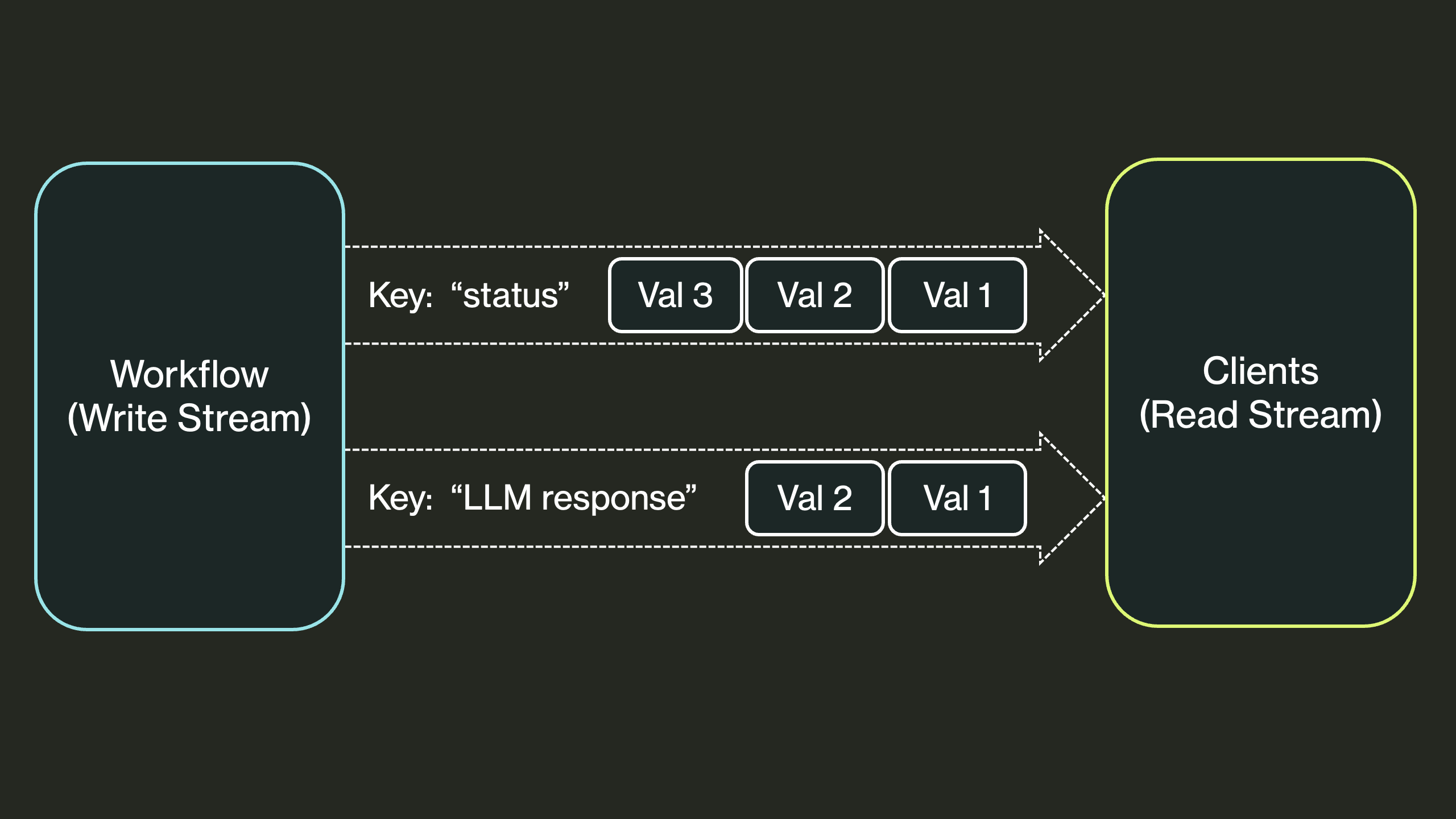
Workflows can stream data in real time to clients. This is useful for streaming results from a long-running workflow or LLM call, or for monitoring and progress reporting.
Writing to Streams
func WriteStream[P any](ctx Context, key string, value P, opts ...WriteStreamOption) error
You can write values to a stream from a workflow or its steps using WriteStream.
A workflow may have any number of streams, each identified by a unique key.
When you are done writing to a stream, you should close it with CloseStream.
Otherwise, streams are automatically closed when the workflow terminates.
func CloseStream(ctx Context, key string) error
DBOS streams are immutable and append-only. Writes to a stream from a workflow happen exactly-once. Writes to a stream from a step happen at-least-once; if a step fails and is retried, it may write to the stream multiple times. Readers will see all values written to the stream from all tries of the step in the order in which they were written.
Example syntax:
func producerWorkflow(ctx dbos.Context, _ string) (string, error) {
    err := dbos.WriteStream(ctx, "progress", "step 1 complete")
    if err != nil {
        return "", err
    }
    err = dbos.WriteStream(ctx, "progress", "step 2 complete")
    if err != nil {
        return "", err
    }
    err = dbos.CloseStream(ctx, "progress")
    if err != nil {
        return "", err
    }
    return "done", nil
}
Reading from Streams
func ReadStream[R any](ctx Client, workflowID string, key string, opts ...ReadStreamOption) ([]R, bool, error)
You can read values from a stream from anywhere using ReadStream.
This function reads all values from a stream identified by a workflow ID and key.
It blocks until the stream is closed or the workflow becomes inactive (status is not PENDING or ENQUEUED).
It returns the values, whether the stream is closed, and any error.
To read without blocking, pass WithReadStreamSnapshot, which returns as soon as all currently-available values have been drained. Pair it with WithReadStreamFromOffset to set the offset to start reading from, so you can poll a stream incrementally:
// Read whatever is available right now, starting from offset 0, without blocking.
values, closed, err := dbos.ReadStream[string](ctx, workflowID, "progress", dbos.WithReadStreamSnapshot())
You can also read from a stream asynchronously using ReadStreamAsync, which returns a channel:
func ReadStreamAsync[R any](ctx Client, workflowID string, key string) (<-chan StreamValue[R], error)
type StreamValue[R any] struct {
    Value  R     // The stream value (zero value if error/closed)
    Err    error // Error if one occurred (nil otherwise)
    Closed bool  // Whether the stream is closed
}
You can also read from a stream from outside a DBOS application with a DBOS Client.
Example syntax:
// Blocking read: wait for all values, then process
values, closed, err := dbos.ReadStream[string](ctx, workflowID, "progress")
if err != nil {
    return err
}
for _, value := range values {
    fmt.Printf("Received: %s\n", value)
}

// Async read: process values as they arrive
ch, err := dbos.ReadStreamAsync[string](ctx, workflowID, "progress")
if err != nil {
    return err
}
for streamValue := range ch {
    if streamValue.Err != nil {
        return streamValue.Err
    }
    if streamValue.Closed {
        break
    }
    fmt.Printf("Received: %s\n", streamValue.Value)
}
Stream Reliability Guarantees
All stream values are persisted to the database, so streams are durable and survive restarts.
If WriteStream is called from a workflow, the write is exactly-once.
If called from a step, the write is at-least-once (the step may be retried on failure).