Workflow Retention Policies
If you are using Conductor, you can configure workflow history retention policies for your application from the Retention Policy page of the DBOS Console. These settings let you configure how long workflow history is retained in your application's system database. This is useful for managing the database disk usage of workflow history.
Retention policies only delete the history of completed workflows (workflows with status SUCCESS, ERROR, CANCELLED, or MAX_RECOVERY_ATTEMPTS_EXCEEDED); workflows that are still running, enqueued, or delayed are never deleted.
Deleting a workflow's history also deletes its steps, inputs, outputs, messages, events, and streams.
Retention runs in the background and deletes history in batches.
If multiple applications share a system database, retention policies apply to the entire system database, including workflows owned by other applications. The most restrictive policy configured by any of these applications therefore applies to all of them, so we recommend configuring the same retention policies for every application that shares a system database. The global timeout applies only to workflows owned by the application for which it is configured.
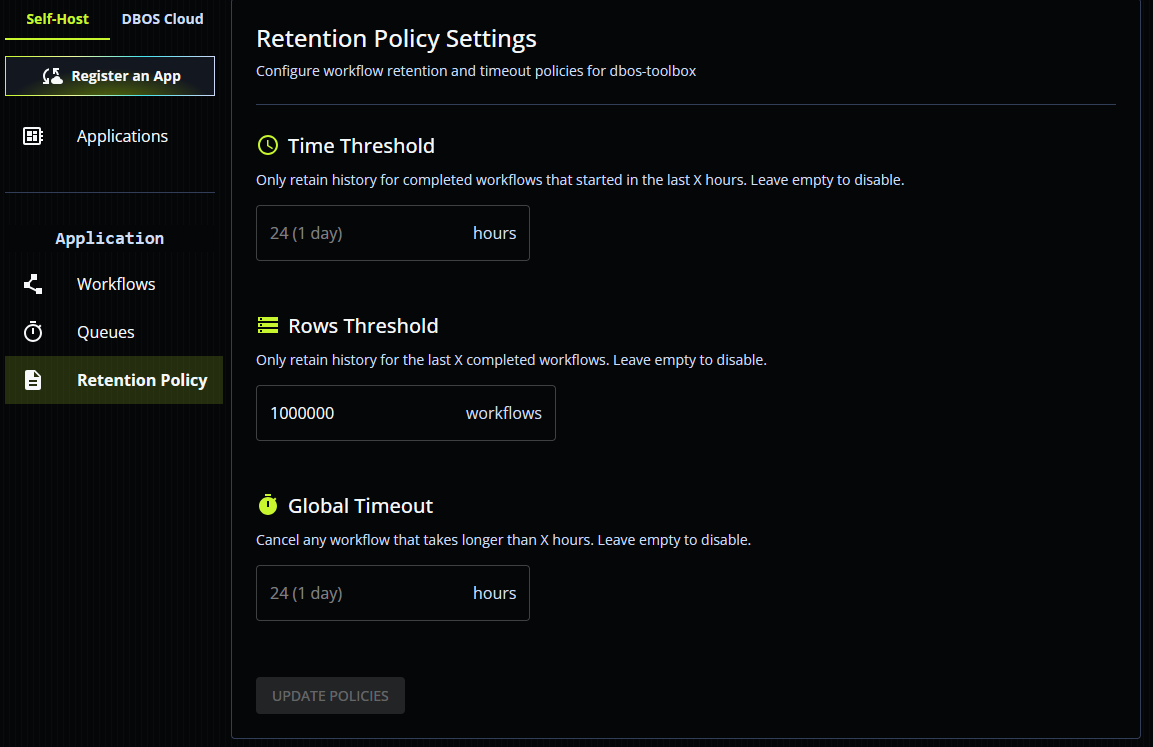
Time Threshold
If a time threshold is set, workflow history is only retained for X hours after a workflow completes. History of workflows that completed more than X hours ago is automatically deleted. Time-based retention is disabled by default.
Rows Threshold
If the rows threshold is set, history is only retained for the X most recently completed workflows. History of older completed workflows is automatically deleted. Rows-based retention is disabled by default. You can set both a rows threshold and a time threshold.
Global Timeout
If a global timeout is set, any workflow that has not completed X hours after it was created (started or enqueued) is automatically cancelled. By default, the global timeout is disabled.