Observability & Reproducibility
One of the most common problems you encounter building and operating agents is debugging failures, particularly those caused by unexpected agent behavior. For example, an agent might:
- Return a malformed structured output, causing a tool call to fail.
- Invoke the wrong tool or the right tool with the wrong inputs, causing the tool to fail.
- Generate an undesirable or inappropriate text output, with potentially business-critical consequences.
These behaviors are especially hard to diagnose in a complex or long-running agent—if an agent runs for two hours then fails unexpectedly, it's difficult to reproduce the exact set of conditions that caused the failure and test a fix.
Durable workflows help by making it easier to observe the root cause of the failure, deterministically reproduce the failure, and test or apply fixes. Because workflows checkpoint the outcome of each step of your workflow, you can review these checkpoints to see the cause of the failure and audit every step that led to it. For example, using the DBOS Console dashboard, you might see that your agent failed because of a validation error caused by a malformed structured output:
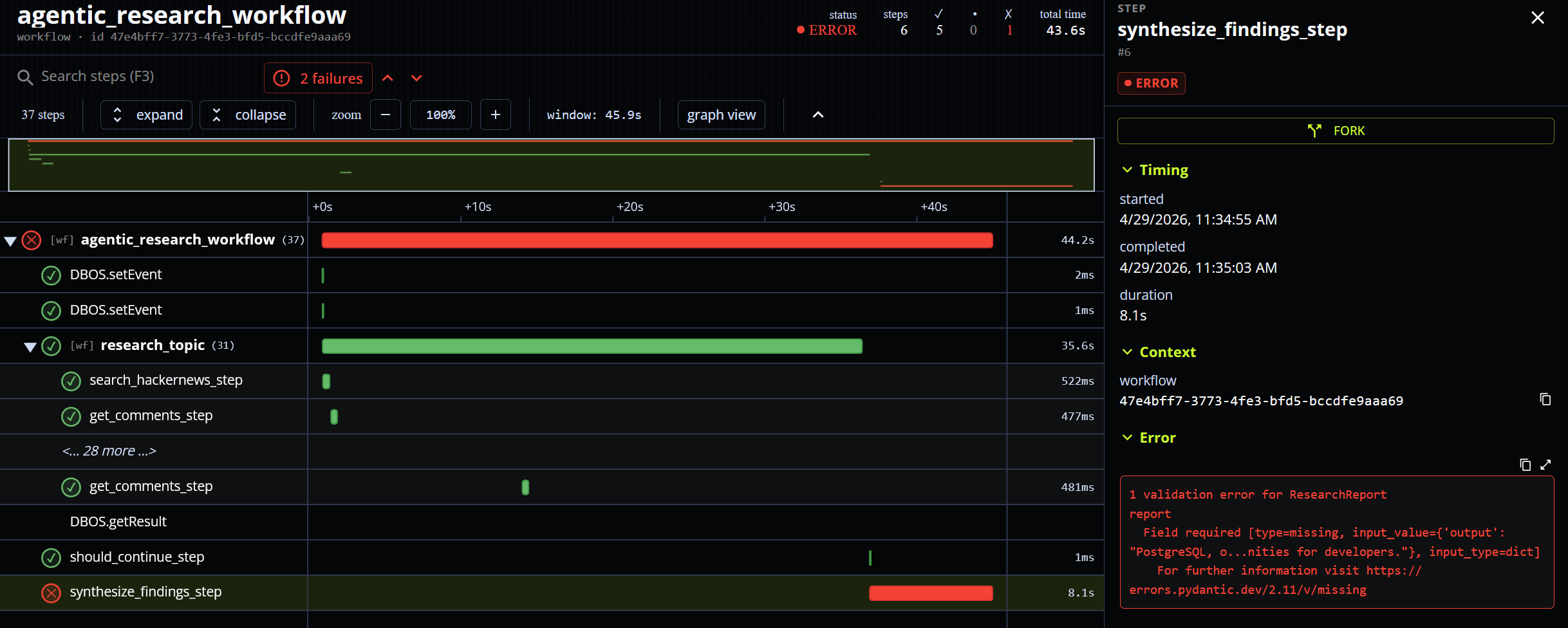
Once you've identified the cause of a failure, you can use the workflow fork operation to reproduce it. Fork restarts a workflow from a completed step, using checkpointed information to deterministically reproduce the state of the workflow up to that step. Thus, you can rerun the misbehaving step under the exact conditions that originally caused the misbehavior.
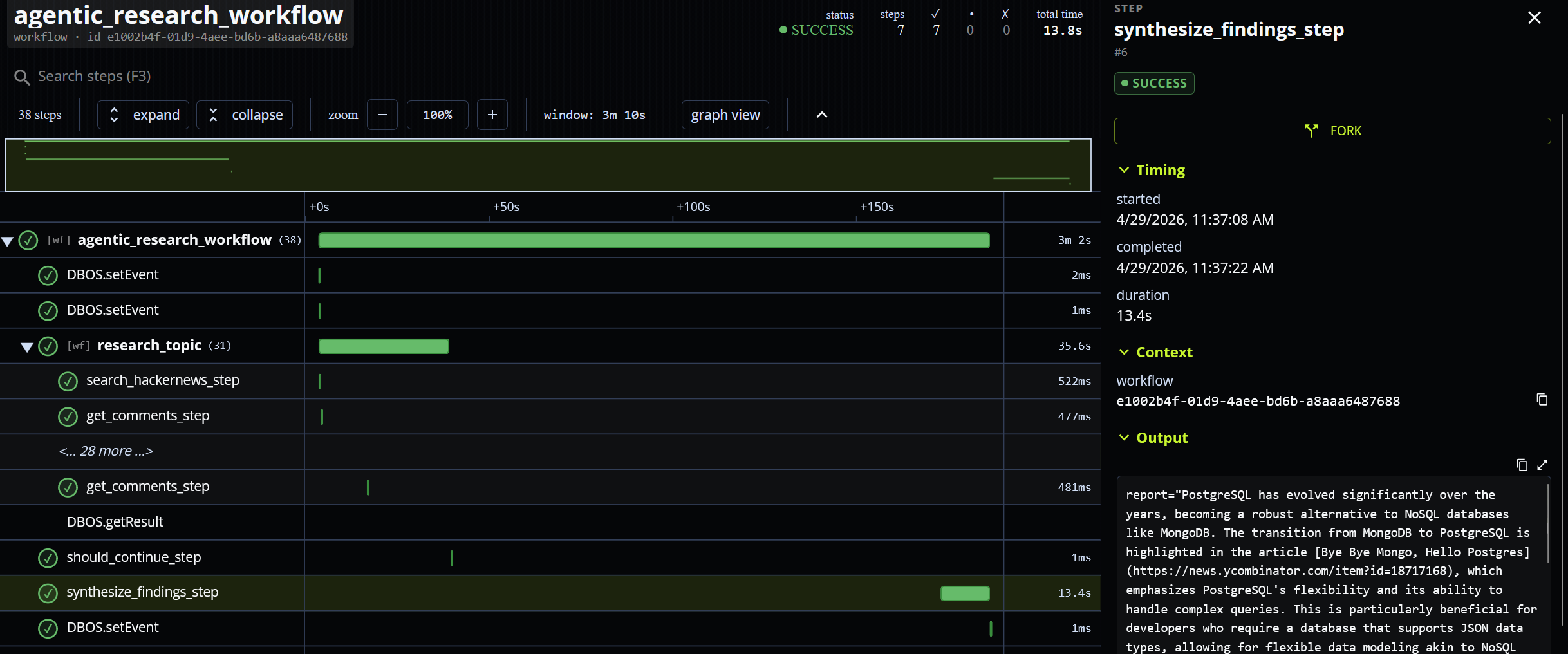
Once you can reproduce a failure in a development environment, it becomes much easier to fix. You can add additional logging or telemetry to the misbehaving step to identify the root cause. Then, when you have a fix, you can reproduce the failure with the fix in place to test if it works. For example, if you hypothesize that the malformed output was caused by an error in the prompt, you can fix the prompt, rerun the failed step, and watch it complete successfully: