Communicating with Workflows
DBOS provides a few different ways to communicate with your workflows. You can:
- Send messages to workflows
- Publish events from workflows for clients to read
- Stream values from workflows to clients
Each operation comes in two forms.
Inside a workflow, call the free function in the dbos crate (dbos::send, dbos::get_event, and so on), which finds the running workflow and records the operation as a step.
Outside a workflow, call the method of the same name on your DBOS instance, or on a Client from another application.
Workflow Messaging and Notifications
You can send messages to a specific workflow. This is useful for signaling a workflow or sending notifications to it while it's running.
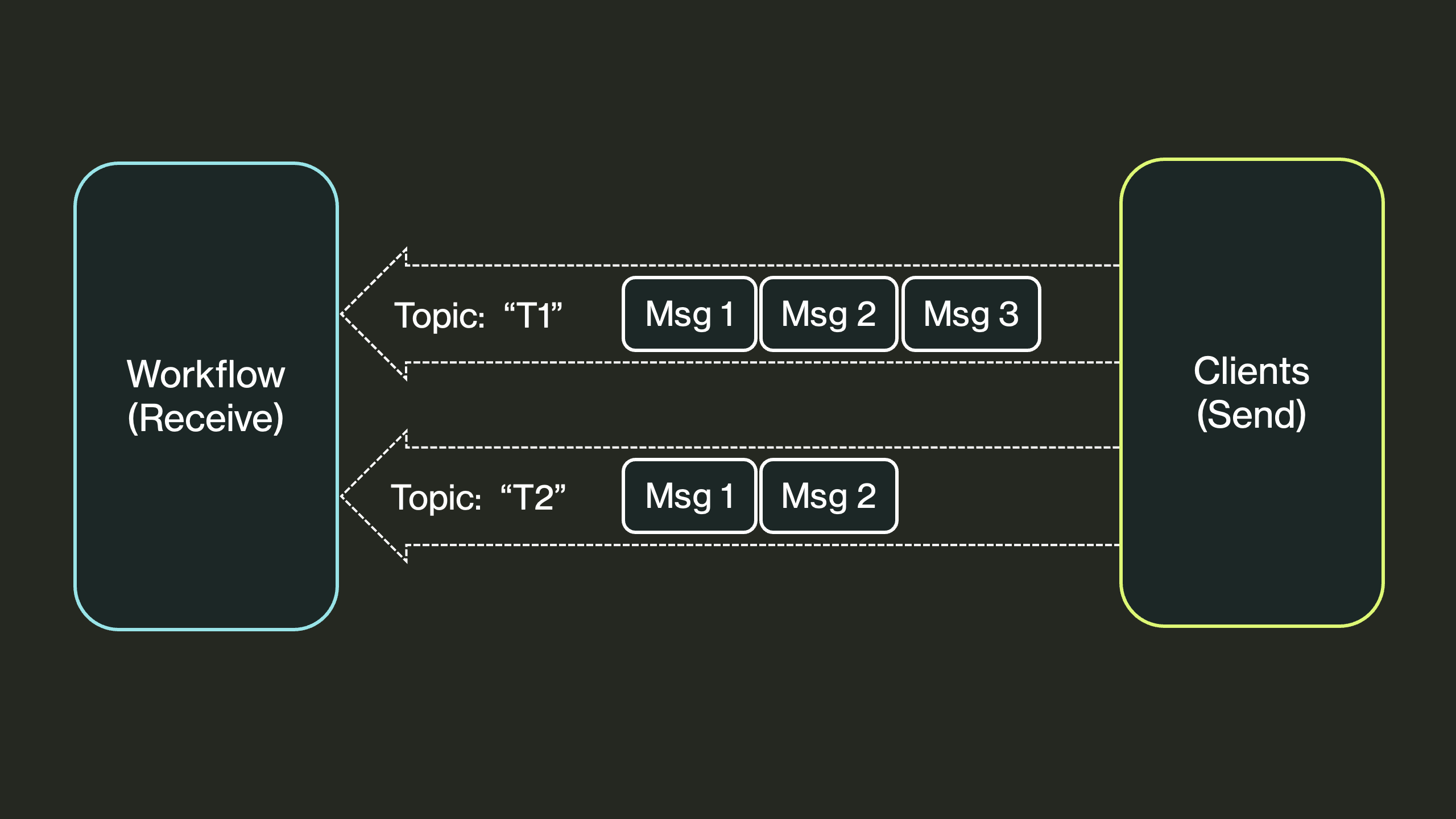
Send
You can call send to send a message to a workflow.
Messages can optionally be associated with a topic and are queued on the receiver per topic.
The message can be any value that implements Serialize.
async fn notify(dbos: &DBOS, workflow_id: &str) -> dbos::Result<()> {
    // From outside a workflow, send through the DBOS instance.
    dbos.send(workflow_id, &"approved").await?;
    Ok(())
}
To send on a topic, build a SendMessage and call send_with:
async fn notify_on_topic(dbos: &DBOS, workflow_id: &str) -> dbos::Result<()> {
    let message = SendMessage {
        topic: Some("payment_status"),
        ..SendMessage::new(workflow_id, &"paid")
    };
    dbos.send_with(message, SendOptions::default()).await?;
    Ok(())
}
To send many messages at once, in a single transaction, use send_bulk.
Recv
Workflows can call dbos::recv to receive messages sent to them, optionally for a particular topic.
Each call waits for and consumes the next message to arrive on the topic, returning None if the wait times out.
If the topic is None, it receives messages sent with no topic.
Messages Example
Messages are especially useful for sending notifications to a workflow. For example, in an online store, the checkout workflow, after redirecting customers to a payments page, must wait for a notification that the user has paid.
To wait for this notification, the payments workflow uses recv, executing failure-handling code if the notification doesn't arrive in time.
Then, a webhook handler for the payment service calls send to send the notification:
const PAYMENT_STATUS: &str = "payment_status";

async fn create_order() -> dbos::Result<()> {
    Ok(())
}
async fn fulfill_order() -> dbos::Result<()> {
    Ok(())
}
async fn cancel_order() -> dbos::Result<()> {
    Ok(())
}

async fn checkout_workflow(_: ()) -> dbos::Result<()> {
    dbos::step("create_order", create_order).await?;
    // Wait up to an hour for the payment service to report.
    let status: Option<String> =
        dbos::recv(Some(PAYMENT_STATUS), Duration::from_secs(60 * 60)).await?;
    match status.as_deref() {
        Some("paid") => dbos::step("fulfill_order", fulfill_order).await?,
        // Cancelled, or no answer before the timeout.
        _ => dbos::step("cancel_order", cancel_order).await?,
    }
    Ok(())
}

// The payment service's webhook handler.
async fn payment_webhook(dbos: &DBOS, workflow_id: &str, status: &str) -> dbos::Result<()> {
    let message = SendMessage {
        topic: Some(PAYMENT_STATUS),
        ..SendMessage::new(workflow_id, &status)
    };
    dbos.send_with(message, SendOptions::default()).await
}
Reliability Guarantees
All messages are persisted to the database, so if send completes successfully, the destination workflow is guaranteed to be able to recv it.
If you're sending a message from a workflow, DBOS guarantees exactly-once delivery.
A send from inside a step is part of that step, so it happens again if the step is retried; give it a SendMessage::idempotency_key to send it once.
Workflow Events
Workflows can publish events, which are key-value pairs associated with the workflow. They are useful for publishing information about the status of a workflow or to send a result to clients while the workflow is running.
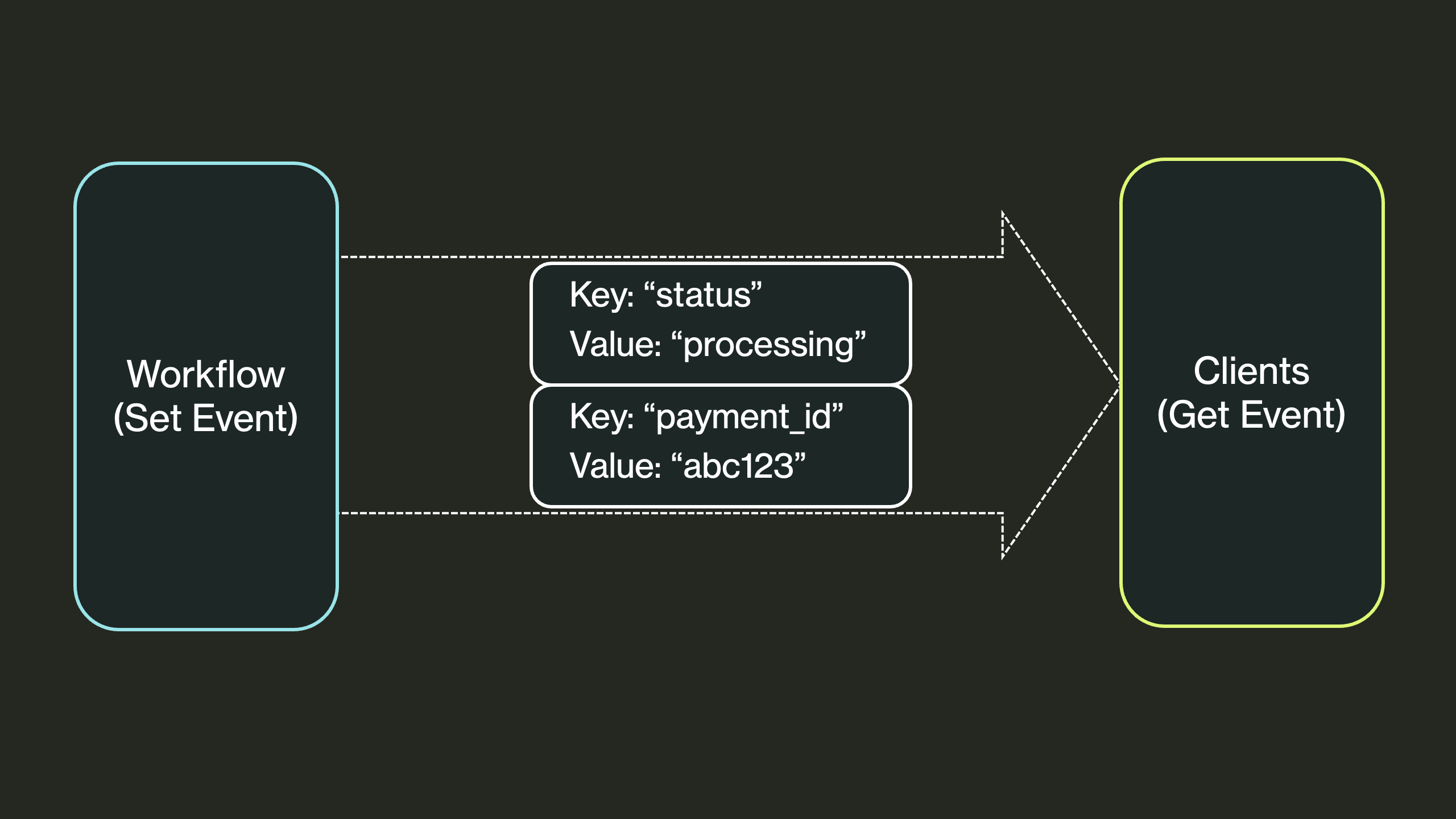
set_event
Any workflow can call dbos::set_event to publish a key-value pair, or update its value if it has already been published.
set_event can only be called from the workflow body, not from inside a step.
get_event
You can call get_event to retrieve the value published by a particular workflow ID for a particular key.
If the event does not yet exist, this call waits for it to be published, returning None if the wait times out.
Events Example
Events are especially useful for writing interactive workflows that communicate information to their caller. For example, in an online store, the checkout workflow, after validating an order, needs to send the customer a unique payment ID. To communicate the payment ID to the customer, it uses events.
The payments workflow publishes the payment URL with set_event.
The web handler that started the workflow then waits for it with get_event:
const PAYMENT_URL: &str = "payment_url";

async fn create_payment_session() -> dbos::Result<String> {
    Ok("https://pay.example.com/session/123".to_owned())
}

async fn payment_workflow(_: ()) -> dbos::Result<()> {
    let url = dbos::step("create_payment_session", create_payment_session).await?;
    // Publish the URL for the web handler to read.
    dbos::set_event(PAYMENT_URL, &url).await?;
    // ... wait for the payment, as in the messages example ...
    Ok(())
}

// The web handler starts the workflow, then waits for it to publish the URL.
async fn start_checkout(
    dbos: &DBOS,
    payment_workflow: &WorkflowRef<(), ()>,
) -> dbos::Result<Option<String>> {
    let handle = payment_workflow.start(()).await?;
    let url: Option<String> = dbos
        .get_event(handle.workflow_id(), PAYMENT_URL, Duration::from_secs(60))
        .await?;
    Ok(url)
}
Inside a workflow, call the free function dbos::get_event instead:
async fn parent_workflow(child_id: String) -> dbos::Result<Option<String>> {
    // Inside a workflow, the free function records what it read.
    dbos::get_event(&child_id, PAYMENT_URL, Duration::from_secs(60)).await
}
Reliability Guarantees
All events are persisted to the database, so the latest version of an event is always retrievable.
Additionally, if get_event is called in a workflow, the retrieved value is persisted in the database so workflow recovery can use that value, even if the event is later updated.
Workflow Streaming
Workflows can stream data in real time to clients. This is useful for streaming results from a long-running workflow or LLM call, or for monitoring and progress reporting.
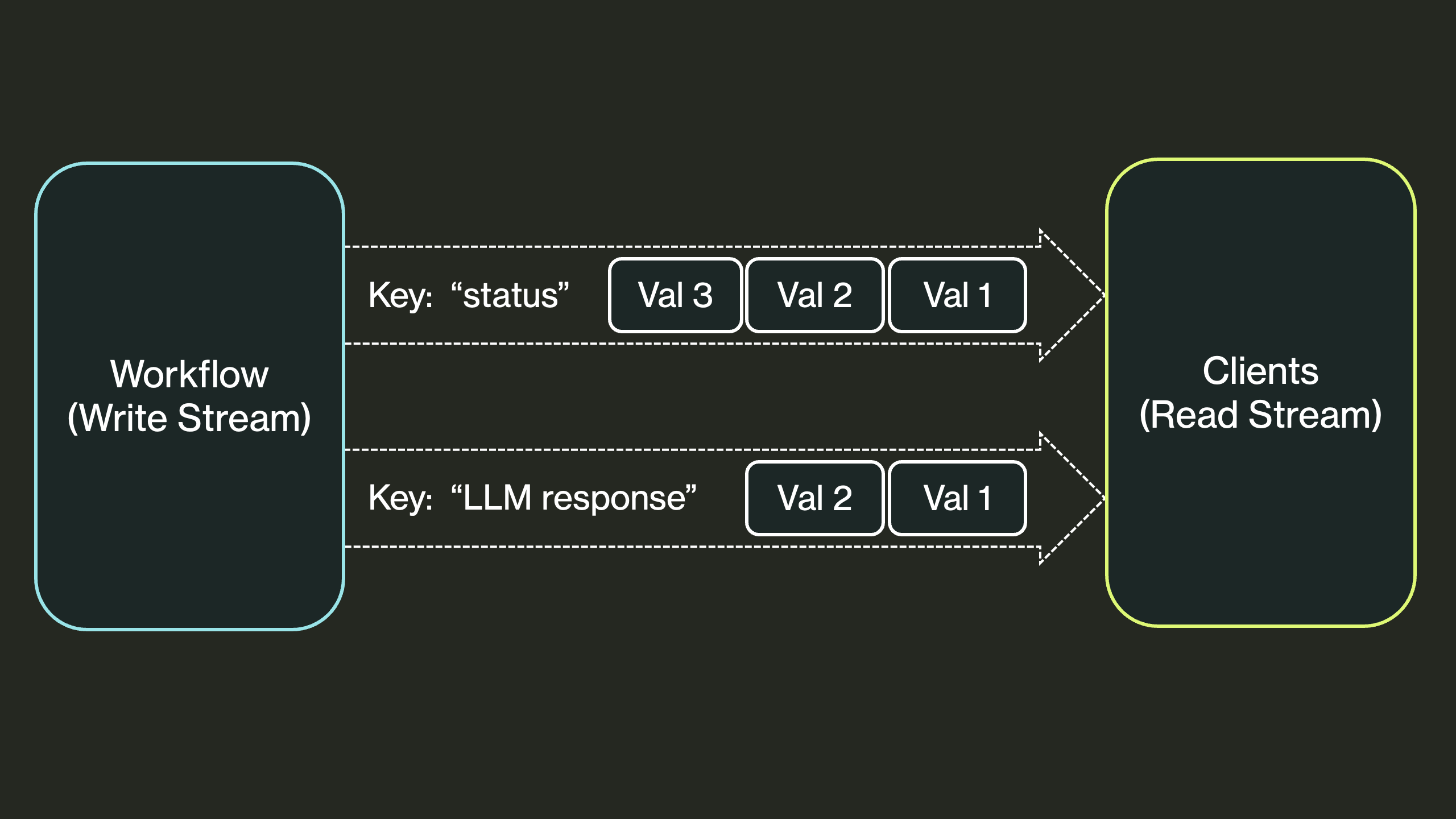
Writing to Streams
Workflows can write values to a stream with dbos::write_stream.
A workflow may have any number of streams, each identified by a unique key.
When you are done writing to a stream, close it with dbos::close_stream.
A reader also stops at the end of the stream once the workflow finishes, closed or not.
#[derive(Serialize, Deserialize)]
struct Progress {
    item: u32,
    done: bool,
}

async fn process_item(item: u32) -> dbos::Result<()> {
    Ok(())
}

async fn producer_workflow(items: u32) -> dbos::Result<()> {
    for item in 0..items {
        dbos::step("process_item", || process_item(item)).await?;
        dbos::write_stream("progress", &Progress { item, done: false }).await?;
    }
    // Tell readers there's nothing more to come.
    dbos::close_stream("progress").await?;
    Ok(())
}
Reading from Streams
You can read values from a stream with read_stream, which returns a StreamReader.
Each call to its next method waits for the next value, and returns None once the stream is closed or the workflow has finished.
async fn watch_progress(dbos: &DBOS, workflow_id: &str) -> dbos::Result<()> {
    let mut reader =
        dbos.read_stream::<Progress>(workflow_id, "progress", ReadStreamOptions::default());
    // `next` returns `None` once the stream is closed, or the workflow has finished.
    while let Some(progress) = reader.next().await? {
        println!("Processed item {}", progress.item);
    }
    Ok(())
}
read_stream_from starts reading at an offset instead of the beginning, which is useful for picking up where an earlier read stopped: the reader's offset() is where to start the next one.
read_stream_value reads the single value at one offset.
Inside a workflow, use the free functions dbos::read_stream and its siblings, which record each value read as a step.
Stream Reliability Guarantees
All stream values are persisted to the database, so streams are durable and survive restarts.
If write_stream is called from a workflow, the write is exactly-once.
If called from a step, the write is at-least-once (the step may be retried on failure).